

I used affordable outfit planning the first time I wanted less morning stress and fewer impulse buys.
You’re juggling work, errands, and a closet that feels messy. I get it — picking clothes can eat time and leave you frustrated.
I’ll walk you through how one simple app can tame your wardrobe, cut waste, and help you wear what you own more often.
Quick tip: prefer apps with clean background removal, a calm interface, and easy outfit calendars. Fits has strong background tools and a generous free plan. Acloset adds weather and stats but limits free users. Whering is social and free, though a little clunky. SimpleCloset is flexible on iOS with low-cost Pro options.
Stick with features that save time and track cost per wear, not flashy extras you won’t use. Small habits here pay off every morning.
Key Takeaways
- Use an app that removes backgrounds and makes outfit planning fast.
- Pick a tool that fits your phone and habits — consider price and free limits.
- Track cost-per-wear to decide what to keep or replace.
- Set up a weekly edit; it only takes a little time and prevents impulse buys.
- Avoid apps with strict free caps unless the paid features match your needs.
Why planning outfits saves you money (and time)
When I began logging my clothes, mornings got quieter and my spending dropped. It’s simple. A little tracking changes how you shop and how you use what you own.
Closet apps can log wears, show usage stats, and even calculate cost per wear. That cost metric makes choices obvious. You stop guessing which items earn their keep.
Plan a week once and you avoid panic buys. You also cut decision time in the morning. People who plan reuse items more. They tend to buy fewer duplicate pieces.
- Planning ahead reduces rushed purchases and lowers overall cost.
- Tracking wears shows which items actually get worn and which sit unused.
- Using a calendar in an app helps you spot gaps—like a neutral belt or comfy flats—so you buy what matters.
Try one planned week. You’ll notice calmer mornings and fewer “I have nothing to wear” moments. Over time, small wins add up: less time wasted and more value from the clothes you own.
What “affordable outfit planning” really means for you
I set a simple seasonal budget and watched how my closet choices changed. That small step let me see real numbers. It made shopping slower and smarter.
Set a clear budget and track cost-per-wear
Decide a seasonal wardrobe budget. Log each buy in an app and add the price. Stylebook and ClosetSpace calculate cost-per-wear. Acloset and GetWardrobe show usage stats and deeper metrics.
When a piece doesn’t earn wears in a month, ask why. Fix the fit or let it go. That keeps your cost down and your closet useful.
Focus on versatile pieces and repeatable looks
Aim for workhorse pieces: neutral shoes, classic jeans, a blazer, and a cozy knit. Pick two or three styles you love. Build outfits from those anchors.
- Log items, wears, and price in the app to watch trends.
- Use feature tags like color, season, and occasion for quick pulls.
- Keep a few statements; let basics do most days.
| App | Cost-per-wear | Usage stats | Analytics |
|---|---|---|---|
| Stylebook | Yes | No (manual) | Wardrobe value |
| Acloset | Optional | Yes | Basic metrics |
| GetWardrobe | Yes | Yes | Detailed analytics |
The goal isn’t to buy more. It’s to use what you own and add only what fills a clear gap. Small rules like these make daily dressing easier and cut long‑term cost.
How to choose a wardrobe app without wasting effort
You want a closet app that feels like a helper, not another chore. Pick tools that cut steps and keep daily use simple.
Must-have features
- Automatic background removal so photos look clean with no extra work.
- An outfits calendar that helps you plan the week and avoid repeats.
- Fast ways to add items — bulk import or web clipping saves setup time.
Good-to-have extras
- Weather and cost metrics help make practical choices.
- A community or AI styling can spark ideas if you’ll use them.
Deal breakers
- Strict free limits (Acloset caps at 100; SimpleCloset at 30) can block full closets.
- A clunky UX makes the app one you close instead of open.
- Missing usage stats if you care about cost‑per‑wear.
| App | Background | Calendar | Free limit |
|---|---|---|---|
| Fits | Best-in-class | Yes | No limit |
| Acloset | Auto | Yes | 100 items |
| Whering | Basic | No | Unlimited |
| SimpleCloset | Manual | Yes | 30 items |
affordable outfit planning
A little upfront work goes a long way. Do a quick edit every 8–12 weeks and your mornings get easier. You’ll shop less and wear more of what you already own.
Pick an app you enjoy using. Most tools catalog clothing, build looks, and offer a calendar. They differ in free limits, background tools, and usage stats.
Log your items, tag by color and season, and set a simple rule: plan first, buy second. That keeps your price per wear fair and your closet useful.
- Plan small seasons (8–12 weeks) so you stay flexible.
- Replace weak pieces one at a time, not all at once.
- Watch cost, wear count, and simple details before you buy.
| Feature | Why it matters | Quick pick |
|---|---|---|
| Generous free plan | Protects your time investment | Fits |
| Background tools | Speeds setup, looks cleaner | Fits / Stylebook |
| Usage stats | Shows which items earn their keep | GetWardrobe / Acloset |
Quick picks: which app fits your style, budget, and phone
If you want a simple daily tool rather than a tech project, pick one of these four apps. Below are short, practical notes so you can match features to how you actually dress and plan your week.
- Fits (iOS/Android) — Best overall. Clean UI, top-tier background removal, AI outfit maker, and a simple calendar. Free with no item limits; optional ~$3.33/month for extras. Pros: easy use, crisp visuals. Cons: lighter stats.
- Whering (iOS/Android) — Best free-only pick. Unlimited items and a public community for feedback. Pros: truly free and social. Cons: can feel clunky and neon-heavy; no weather features.
- SimpleCloset (iOS) — Most customizable on a budget. Deep control fields and cheap Pro at $1.49/month. Pros: lots of editable fields for lone users who love detail. Cons: 30-item free cap and manual background removal.
- GetWardrobe (iOS/Android) — For data lovers. Rich analytics, charts, and community sharing. Pros: excellent tracking for items and wears. Cons: paid from ~$2.90/month and a more technical UI.
| App | Best for | Free limit | Standout feature |
|---|---|---|---|
| Fits | Daily ease | No limit | Background removal + AI |
| Whering | Free social use | Unlimited | Community sharing |
| SimpleCloset | Custom control | 30 items | Highly editable fields |
| GetWardrobe | Data and analytics | Trial/paid | Detailed stats |
Quick tip: if you plan to add lots of items fast, avoid apps with strict caps. Try one app for seven days. If it doesn’t become part of your routine, switch — no guilt.
Deep dive on core features that impact savings
Small app choices add up — they change how you buy and how often you wear things. Below I break down four features that actually save money and why they matter in real life.
Background removal that saves time and looks clean
Consistent images make styling faster. When photos match, you stop second‑guessing color and fit.
Fits automates this. Stylebook gives you fine control if you want crisp photos that last.
An outfits calendar that prevents repeats
Use the calendar to plan a week in five minutes. It helps you avoid wearing the same looks and reduces impulse buys for “something new.”
Usage stats and cost metrics for smarter buys
Apps like Acloset and GetWardrobe show real tracking of wears and cost-per-wear. That data tells you which items earn their keep.
Weather-aware planning to stop panic shopping
Weather features (Acloset, Cladwell) cue you to pack layers or swap shoes. Fewer last-minute runs to the store means fewer wasteful purchases.
- Start with calendar, then add metrics as you get comfortable.
- Tap to log wears; the data will guide better buys.
- Keep only features you’ll use daily — extras just add friction.
| Feature | Why it saves | Good apps |
|---|---|---|
| Background removal | Saves setup time and improves styling | Fits, Stylebook |
| Outfits calendar | Reduces repeats and impulse buys | Fits, Stylebook |
| Metrics & tracking | Shows cost-per-wear and real use | Acloset, GetWardrobe |
Pros and cons of popular wardrobe apps (real user angles)
Here’s a straight take on what real people like and dislike about the most popular apps. Short, honest notes so you can pick one that fits your routine.
- Fits — Pros: slick UI, fast use, best-in-class background removal. Cons: lighter stats if you want deep tracking.
- Whering — Pros: totally free and social, great community for feedback. Cons: can feel clunky and neon-heavy; no weather cues.
- Acloset — Pros: solid features and weather-aware planning. Cons: free cap at 100 items makes price tiers worth checking if you grow.
- SimpleCloset — Pros: lots of control over fields and layout. Cons: 30-item free limit and manual background work.
- Stylebook — Pros: deep background editing, capsules, cost-per-wear. Cons: more manual setup time and one-time price.
- Smart Closet / GetWardrobe / Combyne — Each makes sense for a specific need: basic paid one-time, analytics-heavy, or collage-focused; cons include dated UI, technical screens, or missing planning tools.
| App | Best for | Major con |
|---|---|---|
| Fits | Everyday ease | Light stats |
| Whering | Community | No weather |
| Acloset | Feature-rich | 100-item free cap |
Bottom line: match the app to what you’ll actually use. The fanciest feature list won’t help if you never open the app.
Set up once, save for years: a simple onboarding plan
Set aside two short sessions and you can build a seasonal capsule that works for months. This process is about small wins, not perfection. Do the easy stuff first and finish the tricky bits later.
Start with 30–40 core items
Pick 30–40 pieces that you wear this season. Focus on tops, bottoms, shoes, and one outer layer. That keeps the task doable and fast.
Use web images first; photograph tricky pieces later
Add items by saving clean web images for basics. Stylebook and similar apps let you clip images which saves time. Photograph unique clothing in good daylight only when you need to.
Tag by color, occasion, and season
Tagging gives you fast control when you search. Use color, season, and occasion tags so filters pull the right looks in seconds.
- Batch: tops, then bottoms, then shoes.
- Let automatic background removal handle most images; fix a few manually.
- Create 3–5 starter looks to build momentum and feel in control.
- Block one hour this weekend and one hour next week to finish.
Finally, place a quick reminder in your app to add new buys the day they arrive. Small, consistent steps keep your closet useful and your time saved.
Build repeatable outfits without buying more
Keep ten simple formulas in your back pocket and mornings become two minutes, not twenty. Start with three categories: work, weekend, and evening. Pick clear, repeatable combos you like.
Create 10 go‑to formulas
Examples you can save and reuse:
- Blazer + tee + jeans
- Sweater + midi skirt + boots
- Dress + denim jacket + sneakers
- Button shirt + tailored pants + loafers
- Layered tee + cardigan + ankle boots
Save each formula in your closet app and clone it to swap shoes or bags. Stylebook and Combyne make this fast. Clone, tweak, repeat.
Swap colorways and accessories to multiply looks
Change navy for black, cream for white, or tan for gray. Add a belt, scarf, or hoops to shift styles quickly.
Keep a reference board of favorite looks so you can rebuild them each season. Note what feels off in the app and fix it later.
| Formula | Key swap | What to save |
|---|---|---|
| Blazer + tee + jeans | Shoes (sneakers → heels) | Save as daily + evening clone |
| Sweater + midi skirt + boots | Color (cream → camel) | Save seasonal variants |
| Dress + denim jacket + sneakers | Accessory (belt, bag) | Save casual + polished versions |
Use an outfits calendar to plan your week
A tiny weekly habit—slotting looks into a calendar—cuts morning fuss fast.
Every Sunday night, open your app and drag five looks into the week. Do it in ten minutes. That bit of time saves many rushed mornings.
Check the weather and any key events before you lock a day. If plans change, swap one item and you’re set.
Use tracking to see what you wore recently. Spread wears across your wardrobe so nothing gets lonely.
- Leave one flex day for laundry or mood shifts.
- Note comfort issues in the calendar entry to remember next time.
- Short on time? Clone a favorite and just switch shoes or a layer.
Over a month you’ll spot patterns and fill real gaps with intention. The calendar turns your closet into a tool, not a puzzle.
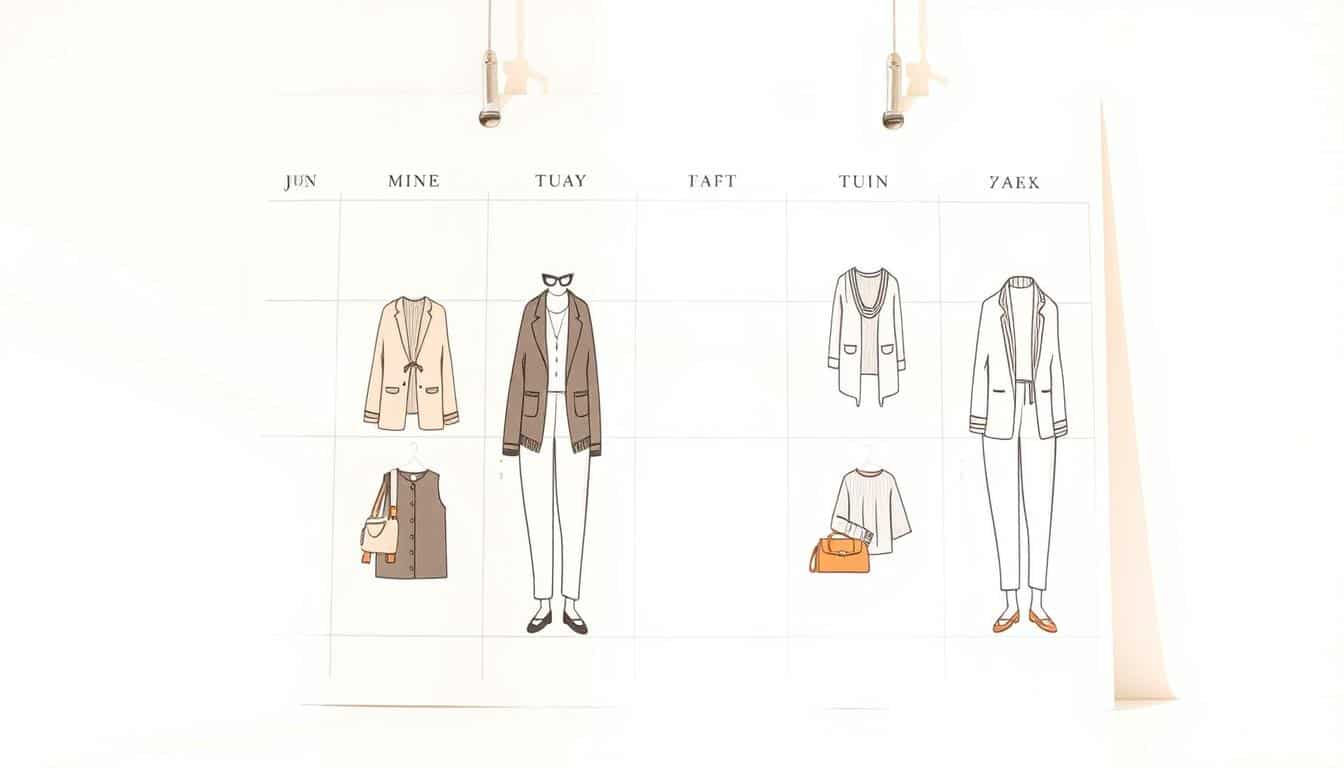
| App | Planner type | History & tracking | Quick swap |
|---|---|---|---|
| Stylebook | Drag-and-drop weekly | Yes, wear history | Clone looks easily |
| Acloset | Daily planner with weather | Yes, detailed tracking | One-tap swap |
| Fits | Simple calendar view | Basic wear logs | Fast clone and edit |
Track what you wear and lower cost-per-wear over time
Start small: tracking one wear a day builds clear data and better choices.
After you wear an outfit, tap once in the calendar to log it. That single action feeds tracking and creates useful metrics fast.
Over weeks you’ll see which item climbs in wears and which sits untouched. Add the purchase price so apps like Stylebook or ClosetSpace can calculate cost-per-wear for you.
Log wears and watch high‑value items rise
Tap the calendar. Note a quick image or a short line about why the look felt good. That detail becomes a reference when you rebuild looks later.
Spot closet gaps with simple metrics
Use usage stats in Acloset or GetWardrobe to spot patterns. If many looks scramble for neutral shoes, that’s a real gap to fill.
- One tap in the calendar = one recorded wear.
- Add price so cost drops as you repeat favorites.
- Filter by feature or fabric to learn what you actually enjoy wearing.
- Review once a month and make one small fix—repair, tailor, or donate.
| What to log | Why it matters | Best app feature | Quick action |
|---|---|---|---|
| Wear entry | Builds usage metrics | Calendar log | Tap once after dressing |
| Price | Shows cost-per-wear | Item details / value | Add purchase price on entry |
| Image or note | Captures fit & feel | Photo + notes field | Snap one pic or type a line |
Weather and community: two underrated money savers
A quick weather check plus a helpful community can stop many impulse buys before they start. Use both to plan smarter, not to buy more.
Weather-based picks prevent panic buys
Apps that pull local weather — like Acloset and Cladwell — nudge you to pick layers or switch shoes. That prevents last‑minute runs for a raincoat or warm boots.
Set your location once so the suggestions match real conditions. You’ll skip the emergency store trip and save money.
Community closets and inspiration reduce impulse shopping
Community feeds on Whering and GetWardrobe let you browse real closets. Seeing how people style similar pieces often sparks fresh ideas without spending.
Share a photo when you’re stuck and ask for quick feedback. A friend or a few strangers often see combos you missed.
- Weather-aware suggestions help you plan layers or shoes you already own.
- Set location in an app like Acloset or Cladwell so your looks match conditions.
- Use community feeds to try new outfits with existing pieces before buying.
- Option: get a friend to style one week from your wardrobe for free.
- Save three community ideas and recreate them the next week.
- Turn off noisy notifications; keep only what helps you.
| App | Weather | Community | Best use |
|---|---|---|---|
| Acloset | Local forecasts & layer prompts | Basic sharing | Daily, weather-smart picks |
| Cladwell | Weather-aware suggestions | Limited community | Practical, climate-based options |
| Whering | No native weather | Public feeds & closet browsing | Free social inspiration |
| GetWardrobe | Manual weather tagging | Active community & swaps | Data + crowd ideas |
Real‑world scenarios: pick the right tool for your life
Match your daily rhythm to an app and your closet will stop feeling like a problem. Below are clear, practical matches that fit common needs. Pick one and try it for a week.
Student budget — Whering
Whering keeps the price at zero. Pros: a lively community and unlimited items. Cons: it can feel clunky and it lacks weather cues.
Busy parent — Fits
Fits speeds setup with best‑in‑class background removal. The planner is clean and built for fast taps. It’s focused on easy use so mornings move quicker.
Data‑driven minimalist — GetWardrobe or Stylebook
Pick GetWardrobe for deep analytics or Stylebook for cost-per-wear and robust editing. Both give control over trends and help shrink a useful wardrobe with evidence.
Creative collages — Combyne
Combyne is great for styling practice and saving visual combos. It lacks planning and stats, so rebuild favorites in your main app for weekly use.
| Scenario | Quick pick | Why |
|---|---|---|
| Student | Whering | Free, social, unlimited |
| Busy parent | Fits | Fast background + clean planner |
| Data lover | GetWardrobe / Stylebook | Metrics & cost insights |
If you share a closet, agree on one app and tag system. Recheck your pick each season; the best tool is the one you actually open for planning.
Beyond the closet: when AI design tools are worth it
Seeing a piece in another color can stop a wasteful impulse fast. Use AI visuals when a buy is pricey or you really need clarity.
If a simple app preview answers your question, stick with that. Those quick image swaps and calendar views often do the job.
Visualizing colorways and styles before you buy
AI platforms shine when you want more than a photo. They can render 3D mockups, test color combinations, and make on-model images from a reference. That helps you judge fit, vibe, and how pieces play together.
- Upload a reference and get alternate styles or on-model previews.
- Build moodboards, export PNG/PDF or 3D files for clearer feedback.
- Share a link with a friend to avoid “almost right” purchases.
| Tool | Best use | Quick win |
|---|---|---|
| Simple app preview | Everyday dressing | Fast image swaps |
| AI design tool | High-impact buys & small brands | 3D colorways, tech packs |
| Hybrid workflow | Try-before-you-buy | Reference-based renders |
Conclusion
Try one clear habit this week: choose an app and log the clothes you actually wear. Start with 30–40 pieces and you’ll feel the lift fast.
Plan five outfit ideas for next week and tap the calendar after you wear them. Use basic features first—calendar, simple tags—then add metrics later if you want more details.
Pick from Fits for ease, Whering for a free social option, Acloset or Cladwell for weather cues, and Stylebook or GetWardrobe for deep metrics. Match the app to your time and price comfort.
If one app doesn’t click, switch—no shame, just momentum. A bit of planning saves many rushed mornings and helps your wardrobe earn its keep.
You’ve got this. Start small today, enjoy the ease tomorrow, and keep what works.